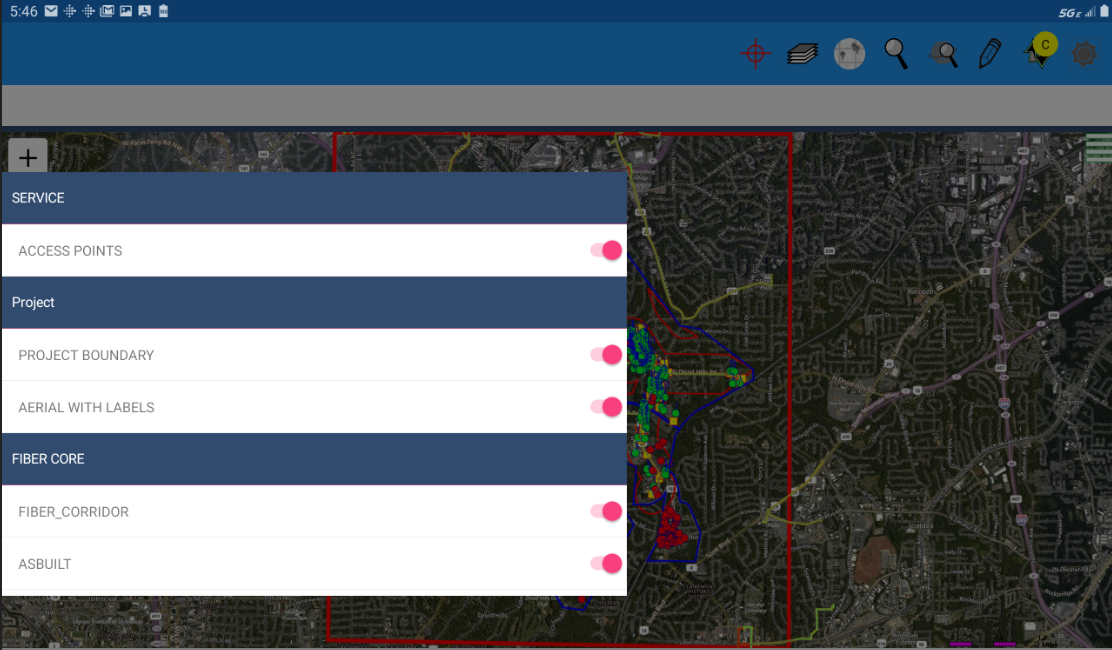
to open the layer display menu. If feature layers have been assigned to groups, those groups will be listed here - in this illustration the Access Points
feature layer is in the Service group while the Fiber Corridor feature layer is in the Fiber Core group.
to open the layer display menu. If feature layers have been assigned to groups, those groups will be listed here - in this illustration the Access Points
feature layer is in the Service group while the Fiber Corridor feature layer is in the Fiber Core group.
Use the switch control to turn individual layers On or Off in the map. The display of all layers in a selected group can also be toggled On or Off by selecting the group header.