Sync Overview
Sync is the process of synchronizing data updates between the local app and the server. It is a 2-way process that distributes data changes from one user to
all other projects on other user's devices, downloads configuration updates to all devices (new and modified projects or layers, modified forms, updated
display styles, etc), and uploads all data updates from projects in the app back to the server. This is all accomplished via a set of message queues on the server
and local queues inside the app.
The SpatialWorx app has several methods and specific launchpoints for syncing data:
- Open Project (Startup)
- Manual Sync
- Auto-Sync
- Change Project
Whenever you open a project in the app it launches a sync operation. Local changes are sent to the server first – all local record updates are sent for all projects, not just the active one. Sync then pulls down only changes for the active project from the server.
Users can choose to sync on-demand anytime they want by pressing the Sync button on the menu. Local changes are sent to the server first – all local record updates are sent for all projects, not just the active one. Sync then pulls down only changes for the active project from the server.
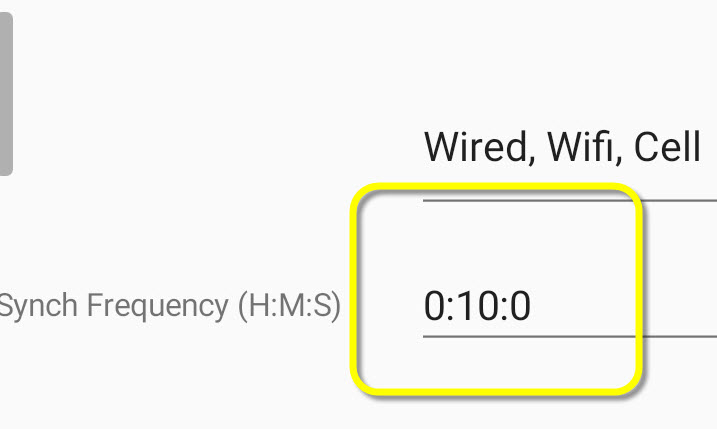
This runs a background sync operation at the specified interval (the default is set for every 10 minutes) - this only syncs records for the active project.
When you change projects while in the app, sync runs and sends changes for all projects (including both the one you are leaving and the new one you have opened. But it only downloads records from the server for the new project you are opening.
Manual Sync
Select the up/down arrows icon from the main app menu  to manually launch a sync operation.
Sync Connections
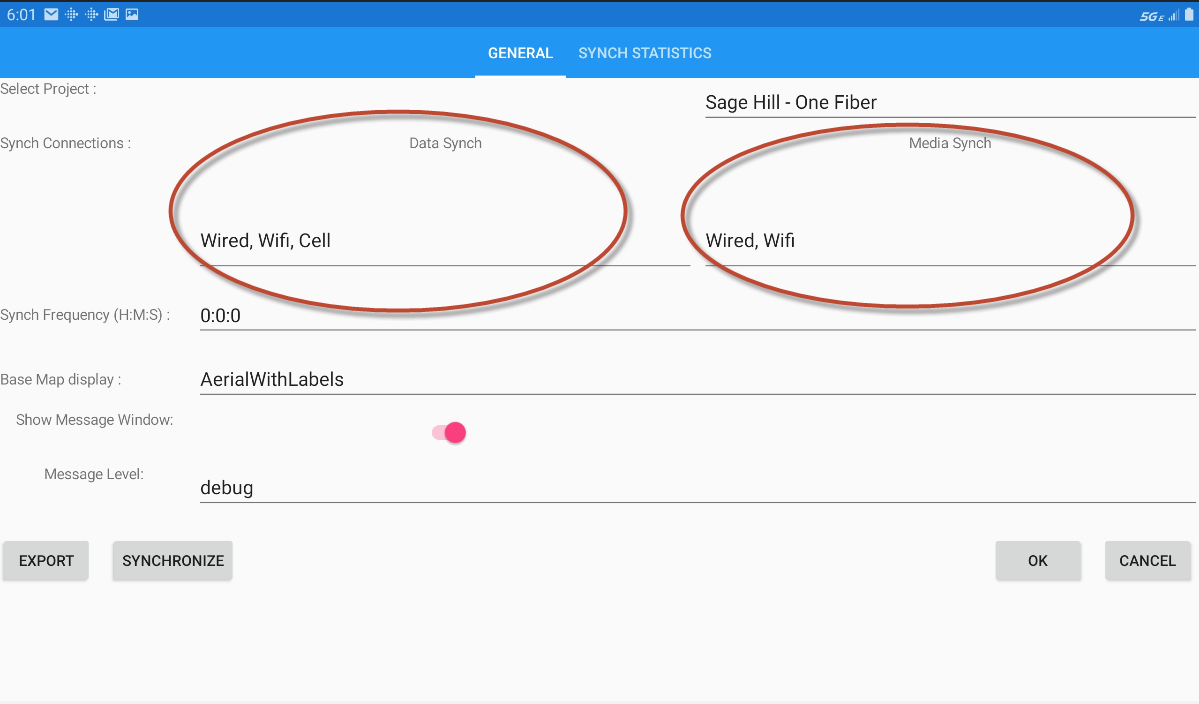
The Sync Connection settings on the Settings dialog allow you to configure how feature data and media files are synced in order to respect data usage plans
and battery life. You can specify the type of network connection (wired, wifi, or cell) that each datatype can be transferred on.
For example, in this illustration
you can see that Data (meaning tabular data such as text, numbers) can be transferred if you have any type of connection but Media data (files such as photos or sketches) can only be transferred via a sync operation when
you have either a wired or wifi connection - but NOT via a cell connection.
Sync Frequency
The Sync Frequency setting specifies the time interval between each auto-sync operation. This setting, "0:10:0", means "hours:minutes:seconds", so in this illustration (which is the defalt setting) auto-sync will run in the background every 10 minutes.